

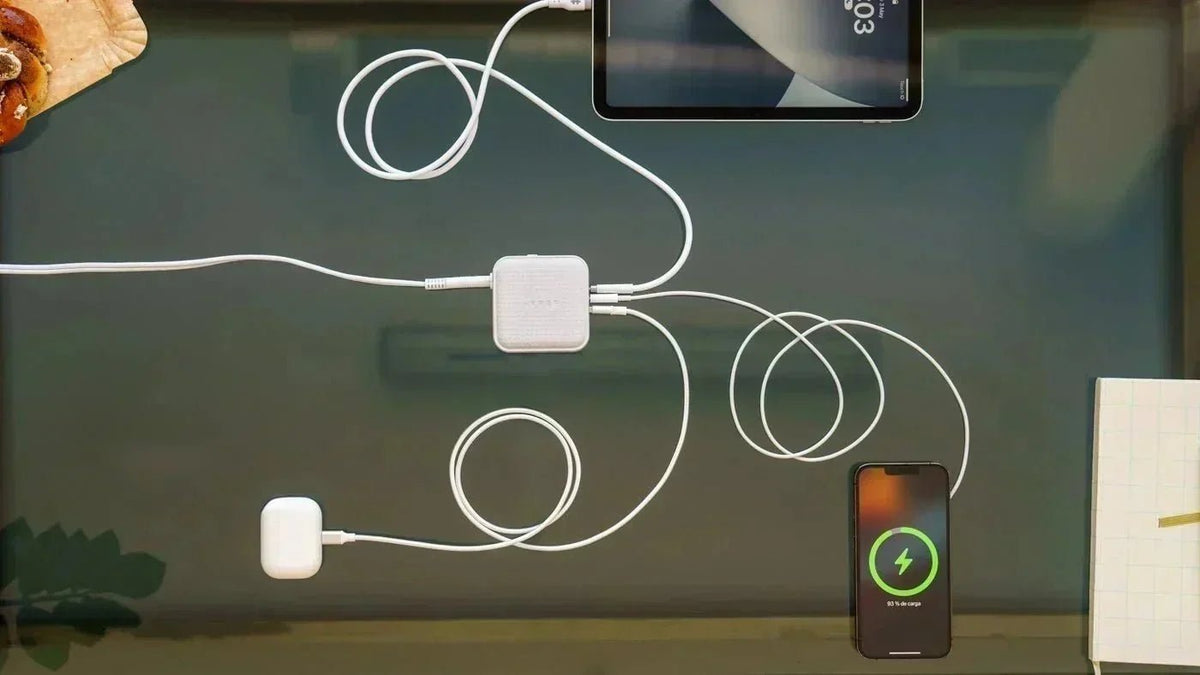
Maintaining your iPhone battery’s health is crucial for ensuring your device operates efficiently over its lifespan. Here are some practical tips to help you prolong your battery's lifespan:
1. Avoid Extreme Temperatures
Your iPhone battery is sensitive to extreme temperatures. Both high and low temperatures can accelerate battery degradation and reduce performance. It's best to use your iPhone at room temperature to maintain optimal battery health.
2. Optimize Settings
Adjusting your iPhone's settings can significantly extend battery life. Here are a few key adjustments:
Enable Low Power Mode: This mode reduces power consumption by disabling certain features and background activities.
Reduce Screen Brightness: Lowering your screen brightness or using auto-brightness can save energy.
Turn Off Background App Refresh: This feature updates apps in the background. Turning it off for non-essential apps can conserve battery.
3. Update Your iOS
Keeping your iPhone's operating system up to date is crucial. Apple regularly releases updates that include battery optimizations and performance improvements, helping to keep your device running smoothly.
4. Manage Background Apps
Apps running in the background can drain your battery. Regularly close apps that you're not actively using to prevent unnecessary power consumption.
5. Limit Location Services
Location services can be a significant battery drain. Adjust the settings for apps that don’t need constant access to your location by navigating to Settings > Privacy > Location Services.
6. Manage Push Notifications
Push notifications wake up your iPhone and consume battery power. Limiting the number of apps that send notifications can help save battery life. Go to Settings > Notifications and turn off notifications for less critical apps.
7. Use Wi-Fi When Possible
Using Wi-Fi consumes less power than cellular data. Whenever possible, connect to Wi-Fi networks, especially when streaming videos or downloading large files.
8. Avoid Complete Battery Drain
Lithium-ion batteries, like those in iPhones, perform best with partial charging cycles. Avoid letting your battery completely drain frequently. Instead, try to keep it between 20% and 80% for optimal performance.
9. Charge Properly
Proper charging habits can help maintain your battery’s health. Avoid leaving your iPhone plugged in once it reaches 100%.
Go Beyond Battery Health with HYPER
Incorporating these tips into your routine can significantly improve the longevity of your iPhone’s battery. Additionally, using high-quality accessories can enhance your battery management strategy.

HyperJuice GaN Travel Chargers are a great option for keeping your battery healthy. GaN technology allows for more efficient and faster charging with less heat generation compared to traditional chargers. This means that your iPhone can charge quickly without the risk of overheating.
Take Advantage of GaN and Qi2 Technology with HYPER’s Travel Chargers
Our new GaN travel chargers – in 70W, 100W, and 145W sizes – are optimized for the health of your battery, whether it’s an iPhone, MacBook, iPad, Windows PC, Chromebook, or any other USB-C & USB-A device. Charge multiple devices at once through this new line of chargers with up to 3 USB-C and 1 USB-A port per charger.


Frequently Asked Questions
What is a good iPhone battery health percentage?
Maximum Capacity normally declines as a lithium-ion battery chemically ages, so there is no single percentage that is ideal for every phone age. Check Settings > Battery > Battery Health (or Battery Health & Charging on older models). If iOS shows a Service message or the battery no longer provides the runtime and performance you need, consider a service assessment.
Should I keep my iPhone battery between 20% and 80%?
You do not have to follow 20–80% as a strict rule. Avoiding frequent full discharges and reducing long periods at a full charge may help limit wear. On iPhone 15 and later, you can choose a Charge Limit between 80% and 100%; on supported earlier models, keep Optimized Battery Charging enabled.
Is it bad to charge an iPhone overnight?
Overnight charging is generally manageable because iPhone includes Optimized Battery Charging, which can delay charging past 80% until closer to when you normally unplug. Keep the phone in a ventilated area and address unusual heat, because high temperature is a more important battery-health concern.
Why is my iPhone battery health dropping quickly?
Battery health is affected by chemical age, temperature history, charging patterns and how the phone is used. A recent iOS update can also create temporary background activity that increases daily drain, which is different from a permanent loss of Maximum Capacity. Review Battery settings and seek service if iOS shows a warning or performance becomes unreliable.
When should I replace my iPhone battery?
Consider battery service when iOS shows Service, when runtime has become impractical, or when ageing affects performance or causes reliability issues. Apple says iPhone 14 and earlier batteries are designed to retain 80% capacity at 500 complete cycles under ideal conditions, while iPhone 15 and later are designed for 80% at 1,000 cycles. Actual results vary, so treat these figures as design references rather than guarantees.



Why You Should Switch to GaN Chargers
Why are GaN Chargers Perfect for Travel and Mobile Work?
Share: