

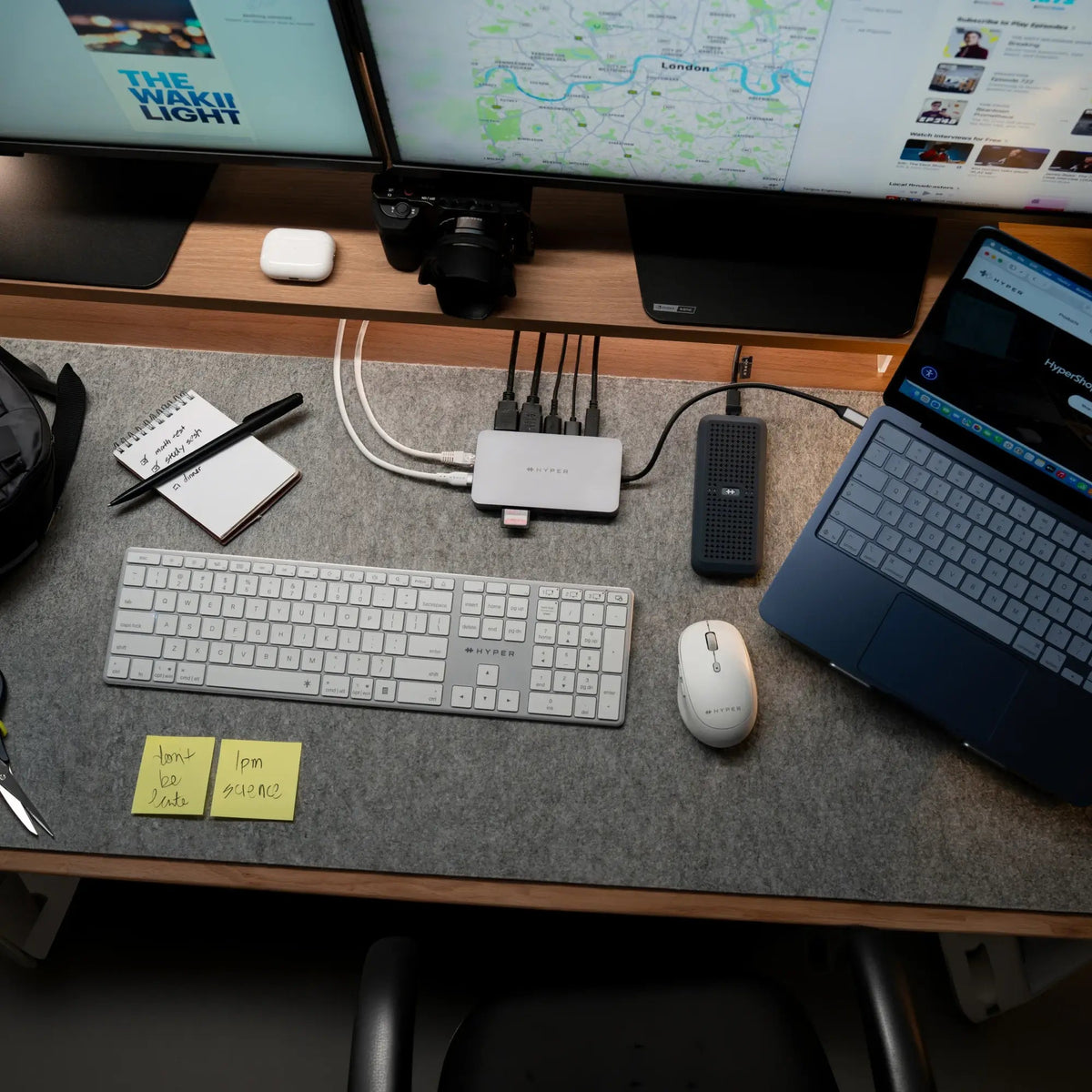
Today's students don't just store files; they edit 4K videos, work with RAW photos, build software, create 3D models, and run AI projects. Those workloads demand more than extra storage. They demand storage that's fast enough to work from directly.
That's where a USB4 SSD enclosure changes everything. Pair it with your own M.2 NVMe SSD and you get a portable workspace capable of editing videos, opening massive creative projects, and running demanding files directly from the drive. You also keep your files stored locally, giving you more control over your data without depending on cloud storage.
If you're looking for the best USB4 SSD enclosure for students, Hyper offers two excellent options depending on your performance needs.
Why USB4 Changes the Way Students Work
A USB4 SSD enclosure does more than expand storage; it gives you a high-performance workspace you can take anywhere.
- Work directly from your SSD. Edit 4K and 8K video, work with RAW photos, and open large creative projects without copying files to your laptop first.
- Desktop-class performance. USB4 provides the bandwidth needed for demanding creative, engineering, and AI workflows.
- Expand storage your way. Install your own M.2 NVMe SSD for a flexible, cost-effective solution.
- Portable and durable. Compact enough for your backpack and rugged enough for campus life.
- Keep sensitive files locally. Store research, class projects, and personal files on your own SSD instead of relying on cloud storage, reducing exposure to online accounts, and keeping your data under your control.
Both Hyper enclosures below deliver on all four. The difference comes down to speed, price, and how demanding your coursework is.
HyperDrive Next USB4 NVMe SSD Enclosure ($95.99)
The HyperDrive Next USB4 NVMe SSD Enclosure is ideal for students who want to work directly from their SSD. Its 40Gbps USB4 connection delivers enough performance to edit photos, work on design projects, and open large creative files without first transferring them to your laptop.

Key features
- 40Gbps USB4 connection with transfers up to 3,800 Mbps
- Fits all M.2 NVMe PCIe Gen4/3 SSDs in 2230, 2240, 2260, and 2280 sizes, up to 4TB
- Tool-free snap-in install so you can add your SSD in about five minutes, no screwdriver needed
- IP55 water and dust resistance with the included silicone sleeve
- 100% recycled aluminum body that stays cool and reduces environmental impact
- Broad compatibility with Windows, macOS, iPadOS, ChromeOS, and Android
At $95.99, it's an affordable way to add serious storage. It's also compact and light, which makes it a genuine portable NVMe enclosure for MacBook, iPad, and Chromebook users who carry gear all day.
Student use cases
- Research and coursework. Keep assignments, research papers, and personal files on your own SSD, giving you fast access and the ability to work directly from your files while keeping your data under your control.
- Graphic design and photography. Edit Photoshop, Illustrator, Lightroom, and Figma projects directly from your SSD.
- Content creation. Work on social media content, podcasts, and short-form video projects without filling your laptop's internal storage.
- Students on the go. Carry your workspace between class, the library, and home with a compact, durable enclosure.
If you want the best tech accessories for students 2026 and your work is mostly documents, media, and creative files, this enclosure covers it.
HyperDrive Next USB4 M.2 PCIe Enclosure ($159.99)
Built for demanding creative and technical workloads, the HyperDrive Next USB4 M.2 PCIe Enclosure lets students edit 4K and 8K video, work with massive CAD projects, and run AI workloads directly from high-speed PCIe storage.

Key features
- 80Gbps USB4 v2 bandwidth, Thunderbolt 5 compatible, for desktop-level PCIe speed
- PCIe Gen4 x4 support with transfers up to 64Gbps
- More than storage. Supports up to 16TB NVMe SSDs, as well as AI accelerators and networking cards.
- Broad M.2 size support: 2230, 2242, 2260, and 2280
- Support Up to 25W total power (7.5W from the host plus up to 18W optional external power-in) for high-draw drives
- Tool-free snap-in install for quick drive swaps
- IP55 water and dust resistance with the included silicone sleeve
- 100% recycled aluminum with built-in heat dissipation for steady performance under load
At $159.99, this drive is a high-performance investment built for demanding workloads. It connects seamlessly with Mac, Windows PCs, and iPads running Windows 10+, macOS 12.4+, or iPadOS 13.4+.
Student use cases
- Film and video production. Edit multi-stream 4K and 8K footage directly from your SSD for a smooth post-production workflow.
- Architecture and engineering. Work with large CAD assemblies, BIM projects, and complex 3D models without moving files to your internal drive.
- Research and data science. Analyze large datasets and scientific projects while keeping your files portable between labs and workstations.
- AI, machine learning, and computer science. Run AI models, virtual machines, or development environments directly from high-speed PCIe storage, or expand your setup with compatible PCIe modules.
If your program involves heavy datasets, video production, or modular expansion, this is the enclosure that won't hold you back.
Which One Is Right for You?
The choice comes down to your major and your budget. If your workload is standard student use, the NVMe enclosure gives you the best value and is PS5 compatible, so you can store games too. If you're pushing professional-grade files or running technical projects, the PCIe enclosure gives you the headroom to work without waiting.
Create, Edit, and Work Without Slowing Down
Whether you're editing videos, designing 3D models, writing code, or managing a semester's worth of coursework, a USB4 SSD enclosure gives you more than extra storage. It gives you a fast, portable workspace you can take anywhere. Choose the HyperDrive enclosure that matches your workload, install your NVMe SSD, and work directly from your files wherever the semester takes you.


Back-to-School Tech Essentials for Students
What Is Thunderbolt™ Share? How It Works and How It Compares to a KVM.
Share: