

Just got a new iPad through Apple Upgrade, or considering it? This guide covers how the leasing program works and the accessories that turn your iPad into a capable, fully equipped workstation from day one.
How Apple Upgrade Works for iPad
Apple Upgrade lets you get a new iPad with lower monthly payments instead of paying the full price upfront. You lease the device for a set term, make monthly payments, and decide what to do when your lease ends.
Depending on the iPad you choose, lease terms may be available for up to 36 months, with monthly payments starting at $11.99.
At the end of your lease, you can upgrade to a newer model, make the final payment to keep your iPad, or return it. Whatever you decide, enhancing your iPad from day one helps you get the most from your device.
Turn Your iPad into a Workstation
An iPad on its own is great for quick tasks. To use it like a laptop, you need a comfortable setup that supports longer work sessions. Two accessories make the biggest difference here.
Raise Your Screen to Eye Level
Working with your iPad flat on a desk strains your neck and back. The HyperSpace Ergonomic Adjustable Laptop Stand lifts your screen to a comfortable height and holds it at the angle you prefer. That keeps your posture in check during long days at a desk. It folds down when you're done, so it travels well between home and the office.

Built from sturdy aluminum, it has the same premium feel as your iPad.
Add a Mouse and Keyboard
Typing on glass works for short notes, but real work calls for real input tools. The HyperSpace Mouse & Keyboard gives you a full desktop-style experience on your iPad. You get faster typing, precise cursor control, and a workflow that feels closer to a laptop. Pair it with the stand, and your iPad handles documents, spreadsheets, and email with ease.

Charge Faster
A slow charger holds you back, especially when you rely on your iPad for a full workday. Fast, reliable power keeps you going without long breaks at the wall.
The HyperJuice 100W USB-C GaN Travel Charger with 4 Ports delivers plenty of power for your iPad and more. With four ports, you can charge your iPad, phone, and other devices at the same time. It is safety tested, so you get quick charging you can trust.

One charger for your whole kit means less clutter and fewer cables to pack. Match the wattage to your iPad, and you'll hit full charging speeds every time.
Charge in Color (Coming Soon)
Power gear can be practical and colorful at the same time. A new lineup of charging accessories is on the way, built to keep you topped up on the go.
The HyperJuice Flex Mini 35W Power Bank & AC Charger gives you a pocket-sized backup for quick charges away from an outlet. Pair it with the HyperJuice Flex USB-C Silicone Charging Cable for a soft, tangle-free cable that packs flat. Together, they keep your iPad charged and your bag organized. Watch for these to arrive soon.

Expand Storage & Edit Directly from SSD
iPad storage fills up fast, especially with photos, video, and large project files. External storage gives you more room, and it can speed up how you work.
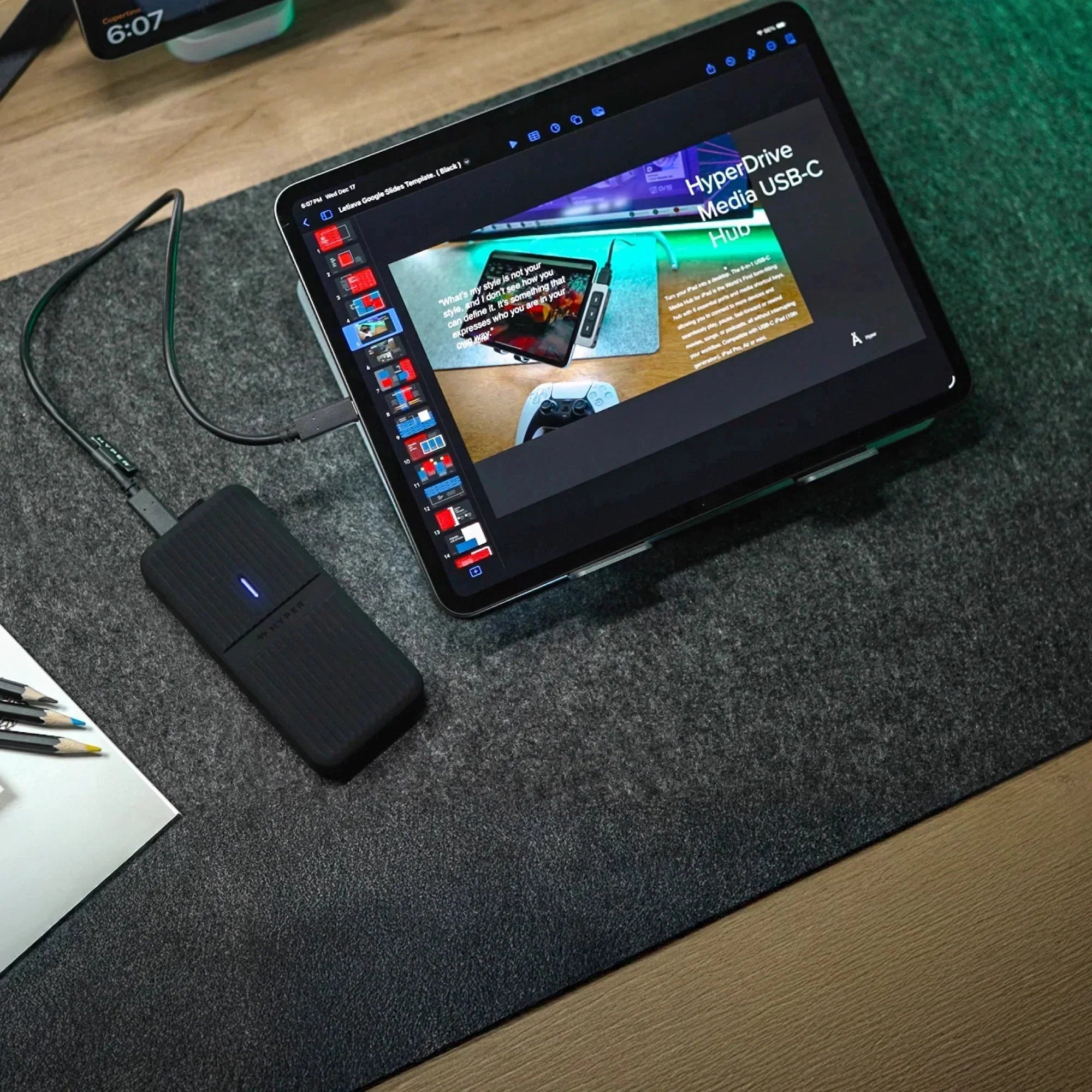
The HyperDrive Next USB4 NVMe SSD Enclosure pairs an NVMe SSD with USB4 speeds fast enough to run apps and edit projects directly from the drive. No file transfers, no waiting. Just plug in and get to work.

You can store active projects and files on the enclosure, keeping the iPad free for everything else. Less clutter, faster workflow.
Connect to Displays & Share Media Anywhere
Sometimes a bigger screen makes all the difference. Whether you're presenting, watching, or working across two displays, a reliable cable keeps things simple.
The HyperDrive USB-C to HDMI 4K60Hz Cable connects your iPad to a monitor, TV, or projector with sharp 4K video at 60Hz. It's a single cable, so there's no dock or extra hardware to carry. Plug in for a meeting, mirror your screen for a presentation, or stream media to a larger display. It's a practical tool for anyone who works and shares on the move.

Build Out Your iPad Setup
Whether you leased your iPad through Apple Upgrade or bought it outright, the right accessories make it far more capable.
Pick the essentials that match your routine first, then expand your setup over time. Explore the full range of Hyper power and connectivity gear, and get your iPad ready for real work anywhere.
Leased a MacBook with Apple Upgrade? Here's Everything You Need
How to Keep Your MacBook Screen Private in Public
Share: