

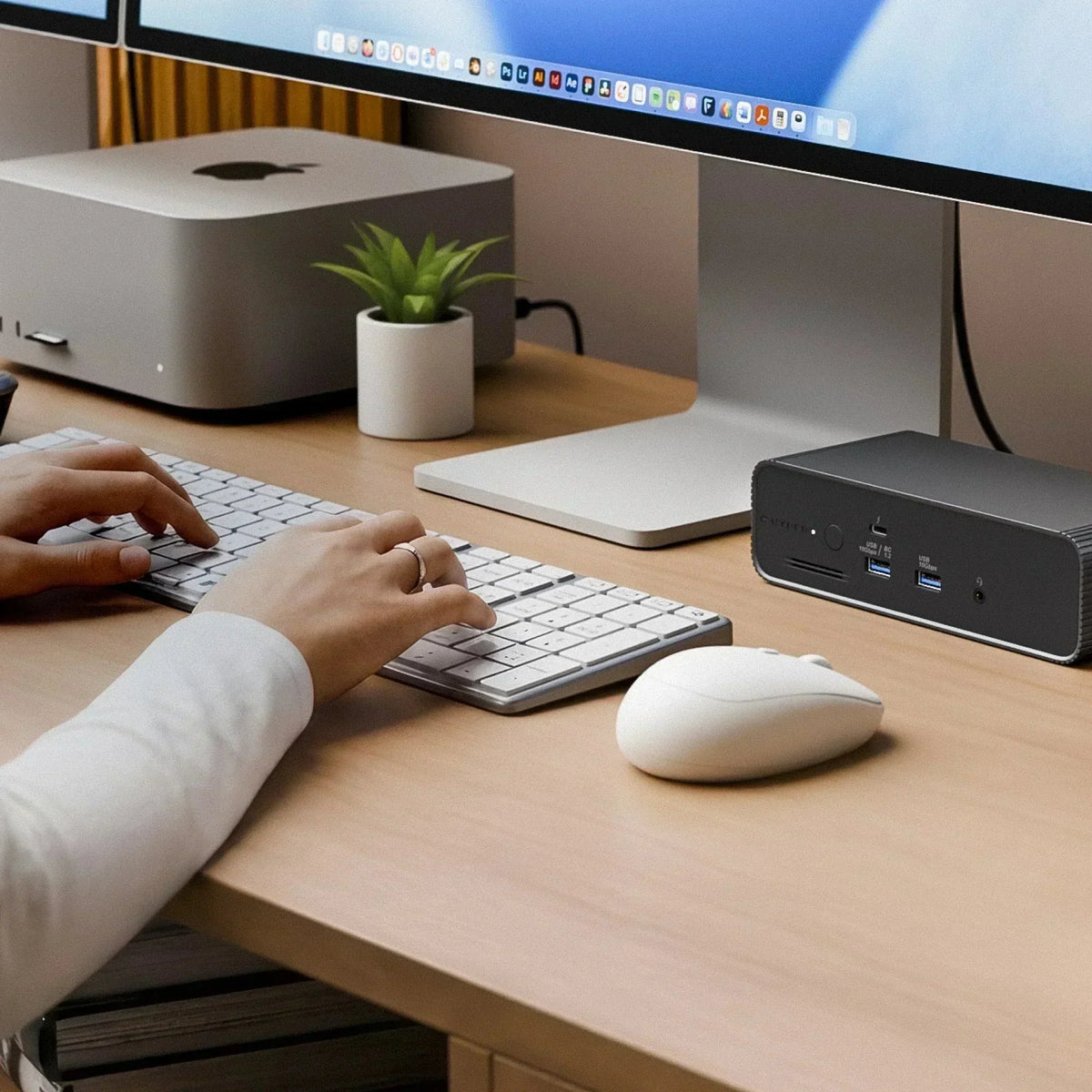
For most creative professionals, the dock is the last thing they think about. The camera, the lens, the edit suite, the render farm, the color panel, the client feedback loop. The dock sits on the desk doing its job quietly, until it stops doing its job quietly.
Then you notice it. The dropped frame during playback. The display that flickers when the NVMe kicks in. The export that takes longer because your fast SSD is running over a bandwidth ceiling. The moment when the cable between your laptop and your setup is the slowest thing in the room.
Thunderbolt 5 fixes that. The HyperDrive Next Thunderbolt 5 Dock is built around the specific ways creative workflows push connectivity to its limits. A Thunderbolt docking station brings high-resolution displays, fast storage, Ethernet, and peripherals together in a single creator workstation.
How Thunderbolt 5 Eliminates Bandwidth Bottlenecks
Thunderbolt 4 tops out at 40Gbps. That is fast enough for a single 4K display and a connected SSD, but once you add a second display, start pulling footage off an external RAID, and charge your laptop at the same time, the bandwidth starts to split.
Thunderbolt 5 doubles the baseline to 80Gbps bidirectional, then pushes further with Bandwidth Boost, which funnels up to 120Gbps toward display output when you need it. Your displays get what they need. Your storage gets what it needs. Your laptop charges at 140W without throttling anything else.

These are not benchmark improvements. They are the difference between a workflow that runs and one that stutters.
Thunderbolt 5 for Multiple Displays: 4K at up to 144Hz, triple screens on Windows and M5 Pro
The HyperDrive Next Thunderbolt 5 Dock supports up to three 4K displays at up to 144Hz on Windows. MacBook Pro M5 Pro supports triple displays at up to 60Hz. On most macOS configurations with M-series chips through M4, dual extended displays are supported.

For video editors, the setup that matters is a dedicated timeline monitor, a full-screen playback display, and a reference or client-facing screen. For designers, it is a canvas monitor, a reference panel, and a tool palette screen. For animators, triple screens let you keep your viewport, timeline, and scene graph open at once without cycling through windows.
High refresh rates matter here too. 144Hz is not just for gaming. Color grading at 144Hz versus 60Hz is a visible difference when you are scrubbing through a timeline or watching motion graphics play back in real time.
Storage speed finally matches your SSD
The HyperDrive Next Thunderbolt 5 Dock includes a full-size M.2 PCIe Gen 4 and Gen 3 slot built in. You install an NVMe SSD directly, and the dock becomes both a hub and a fast storage enclosure.

PCIe Gen 4 NVMe drives reach sequential read speeds of 5,000 to 7,000 MB/s. Over Thunderbolt 5 with 80Gbps of data bandwidth, that speed is actually available to your edit system. Over Thunderbolt 4 at 40Gbps, you were giving up roughly half of what your drive could do.
For Premiere Pro users editing 4K ProRes or H.265 from an external NVMe, this is a meaningful difference in scrub performance and export time. For DaVinci Resolve users pulling RAW files off a built-in NVMe, you can keep the drive in the dock and access it at full speed without connecting a separate enclosure.
One dock, two machines: Thunderbolt Share for studio setups
Thunderbolt Share lets two computers connect to the same dock and share files, a keyboard, a mouse, and peripherals without going through a network. No Wi-Fi. No switch. No IP addresses.

For creative teams, this removes friction from common setups: an edit machine and a review machine on the same desk, a Mac for creative work and a Windows machine for client deliverables, or a laptop docked at work and a second machine docked at home, both using the same shared storage.
The NAS connection creatives have always wanted
The HyperDrive Next Thunderbolt 5 Dock includes 2.5Gbps Ethernet. For creative teams running a NAS for shared project storage, this is the port that actually matters.

Gigabit Ethernet tops out at 125 MB/s. That is enough for office files, not enough for 4K footage or large project libraries. 2.5Gbps Ethernet delivers up to 312 MB/s, which puts shared NAS storage into a usable range for video editing and high-resolution photography workflows.
Displays on macOS: what to expect
macOS display limits are set by the Apple chip, not the dock. A TB5 dock cannot create display outputs that the chip does not support natively. Note: the 14-inch MacBook Pro with the base M5 chip uses Thunderbolt 4, not Thunderbolt 5. Triple display support requires M5 Pro or M5 Max. The 16-inch MacBook Pro is only available with M5 Pro or M5 Max and always has Thunderbolt 5.
Practical breakdown:
- MacBook Pro M5 Pro or M5 Max (14-inch or 16-inch): three or more external displays via the dock, a first for MacBook Pro
- 14-inch MacBook Pro with base M5 chip: Thunderbolt 4 only, two external displays maximum
- MacBook Pro M5 Max: up to four external displays
- MacBook Pro M4 Pro or M4 Max: two external displays
- MacBook Air M4: single extended display
Windows Thunderbolt 5 laptops support triple 4K at up to 144Hz out of the box. No chip restrictions, no display limits beyond what the dock provides.
What this means for your specific workflow
Premiere Pro and After Effects
4K ProRes and H.265 editing benefits directly from faster external storage and wider display bandwidth. Triple monitors keep your timeline, preview, and media browser on screen at the same time. 140W charging keeps a MacBook Pro or ZBook running through long renders.
DaVinci Resolve
Resolve's color grading panels benefit from high-refresh displays. Grade on one screen, watch playback on another, keep your node graph on a third. The NVMe slot in the dock can house your project cache drive at Gen 4 speeds.
Blender and Cinema 4D
Viewport rendering benefits from fast storage access and stable display bandwidth. Keep your asset library on the M.2 drive in the dock and your render output on a separate external, both connected through one cable.
Lightroom and Capture One
Photo editing at high resolution benefits from fast catalog drives and stable color on external displays. The 2.5GbE port connects directly to a NAS for large library management without copying files to a local drive first.
Figma, Sketch, and Affinity Designer
Design tools are not storage-heavy, but they benefit from triple displays and stable color calibration. Keep your design on one screen, your component library on a second, and a client reference or browser on a third. Creators with lighter connectivity needs may instead find that USB-C hubs with HDMI, Ethernet, and card reader support cover essential display, network, and media-transfer requirements without requiring a full Thunderbolt 5 dock.

Thunderbolt 5 changes how your setup performs when everything is connected at once. No bottlenecks. No compromises. Just a workflow that runs the way it should. Explore the HyperDrive Next Thunderbolt 5 Dock and bring it all together.


The Best Dock for MacBook Pro M5: Triple 4K Displays, One Cable, No Compression
Why IT Teams Should Standardize on Safety-Tested Chargers
Share: