

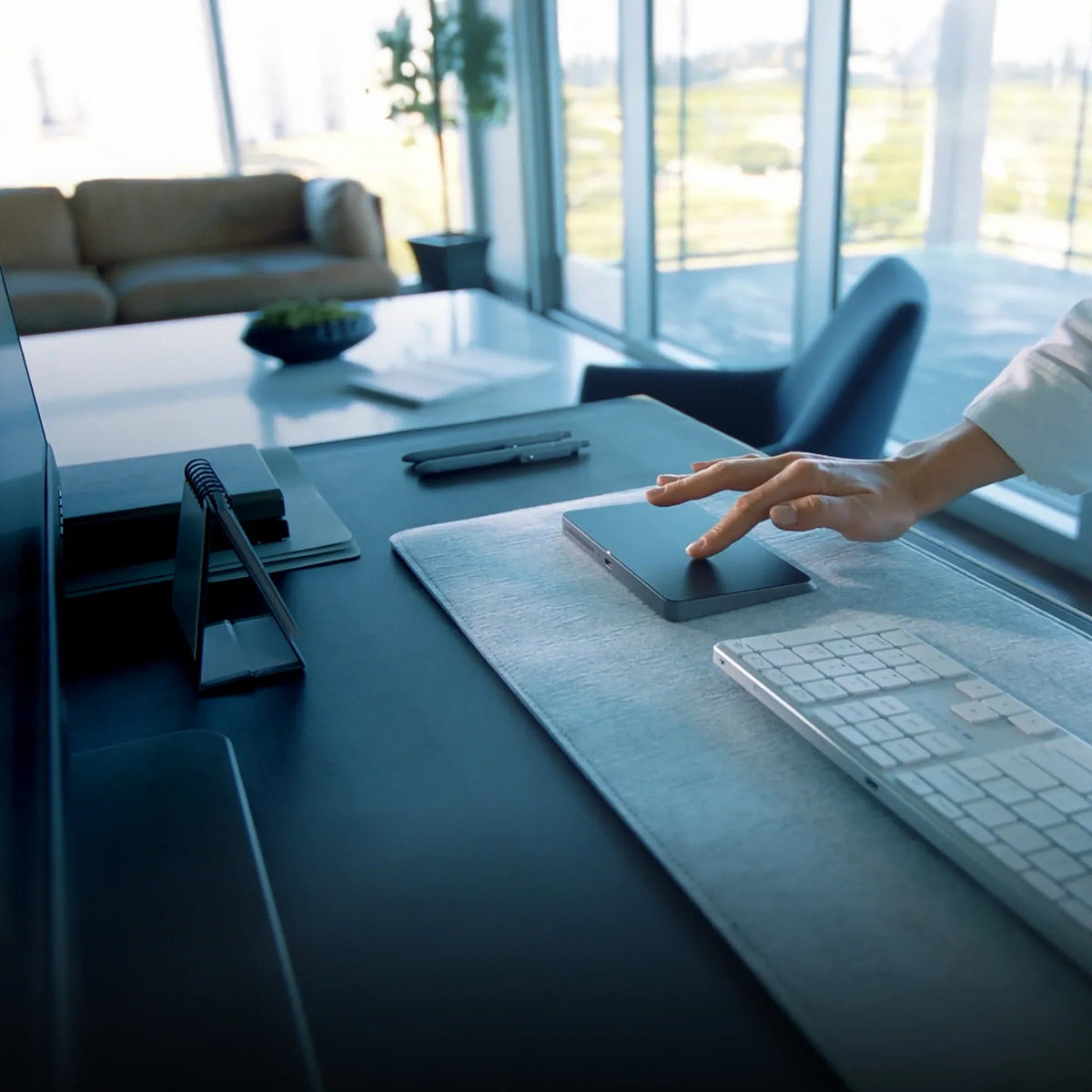
For years, trackpads have been simple: you click or you don’t. The new HyperSpace Trackpad Pro changes that. At its core is analog force sensing, a technology that gives your trackpad the ability to sense how much pressure you apply. It’s what turns a flat surface into a true control tool for creators, editors, and productivity experts.
Follow our Kickstarter campaign.
What Analog Force Sensing Actually Is
Analog force sensing captures subtle changes in pressure across the trackpad surface. Unlike traditional trackpads that register only a click or no click, this system detects a full range of force from a gentle tap to a firm press.
This means your trackpad is no longer just a pointer. It becomes something that understands intention.
How It Helps Creatives
Video Editors
If you’re working in Adobe Premiere Pro, analog force sensing transforms timeline scrubbing. A light touch moves through frames slowly. Press harder and you speed through the timeline. It gives you a tactile feel for navigating edits and makes fine control feel natural.
Graphic Designers
In Adobe Illustrator, force sensing gives you better control when working with curves, paths, and shapes. You can lightly tap to select a point, press deeper to drag and reshape with more precision. It brings something close to pen-tablet responsiveness but with your trackpad.
Photographers and Retouchers
Using Adobe Photoshop, you’ll feel the difference when adjusting brush flow, applying filters, or blending layers. A softer tap for subtle retouching, a firmer press to accelerate brush flow or switch tools. It helps your workflow feel smoother and more intuitive.
The Productivity Edge
This isn’t just for creative work. If you’re deep into Microsoft Excel, PowerPoint, or Word, analog force sensing gives you ways to speed things up and refine workflows.
Excel
Imagine pressing into a cell lightly to select, pressing a little harder to bring up a context menu, harder still to trigger a macro or perform a batch action. Moving through large sheets becomes more responsive.
PowerPoint
When building slides, you often drag elements, resize shapes, and adjust media. Force sensing allows you to vary how quickly those edits happen: light press for fine tweaks, firmer press for broader changes. It makes slide building feel less clunky.
Word
In text editing, you can map different pressure levels to formatting actions like inserting comments, bolding text, or navigating sections. It’s about making repetitive tasks smoother and less mechanical.
Why It Matters
The HyperSpace Trackpad Pro bridges the gap between feeling control and executing it. For creatives, it’s about expression, turning what you feel into what you create. For productivity users, it’s about efficiency, making the interface respond to how you work, not the other way around.
“Featuring an integrated force-sensing matrix that recognizes pressure variations, allowing for a highly customizable experience.” — Tom’s Hardware
Whether you’re editing motion graphics, fine-tuning a photo, or building a business report, analog force sensing adds nuance to your workflow. Every press becomes meaningful. Learn more on our Kickstarter campaign.
Hyper launches its HyperShield™ Universal Locator to Keep Your Essentials Safe and Always Within Reach
HyperSpace Trackpad Pro Wins CES 2026 Innovation Award®
Share: