Free shipping to the US on orders over $40

null
Satisfaction Guarantee

Free US Shipping Over US $40

Fast delivery

Protected by Warranty

Secure

30 Day Money Back Guarantee

Guarantee

80Gbps Ultra-Fast USB4 Connection
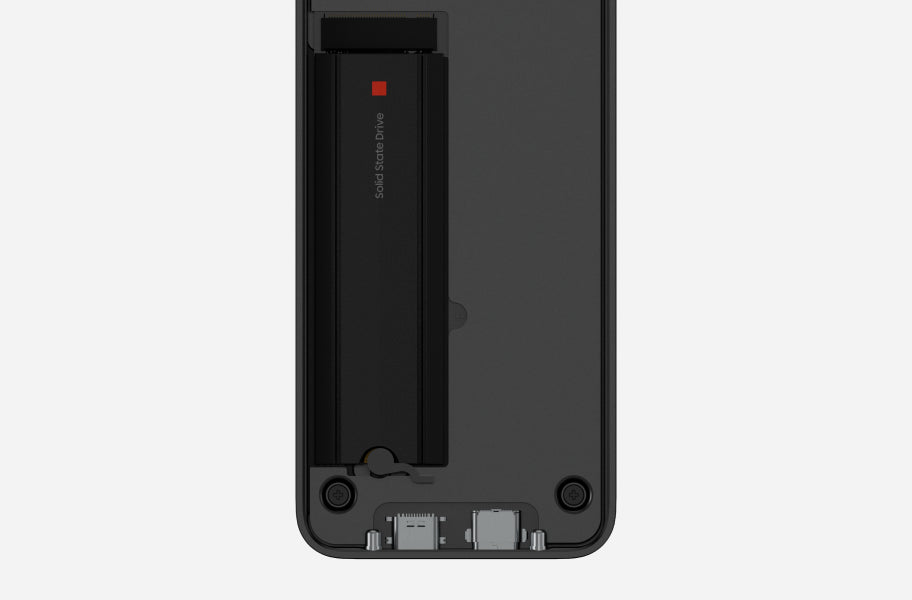
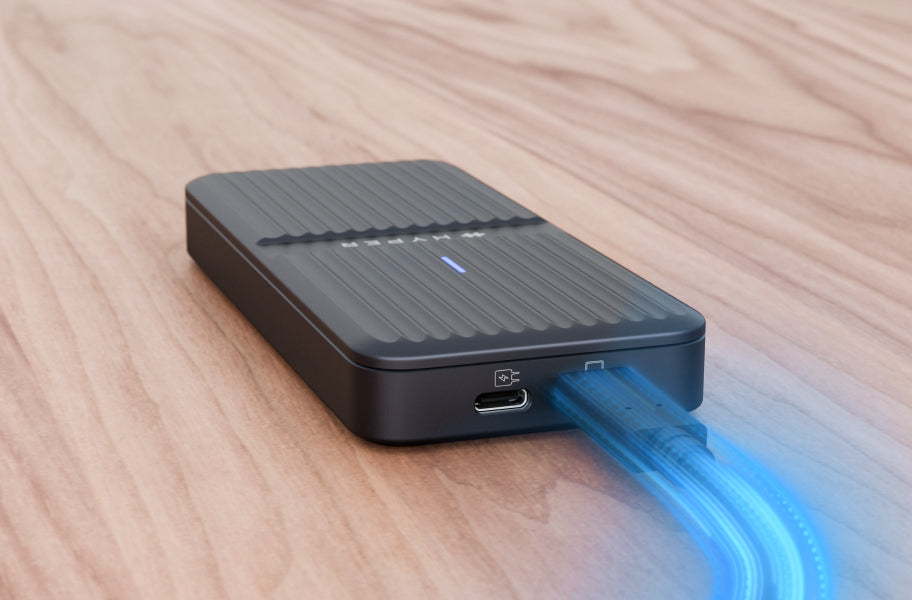
Delivers up to 80Gbps bandwidth* with USB4 v2 (Thunderbolt 5 compatible) for true PCIe Gen 4 x4 performance. Ideal for AI and machine learning accelerators and ultra-fast NVMe storage.
Consistent speed with no throttling or drop-offs.

*Transfer speed is up to 64Gbps

Supports PCIe Gen4/3 Devices, up to 64Gbps (Gen4 x4)

Delivers full-speed PCIe Gen 4 and Gen 3 NVMe performance over USB4, giving you the fastest possible transfer rates for professional workflows and large file handling.

Expand Performance. Power More. Work Anywhere.
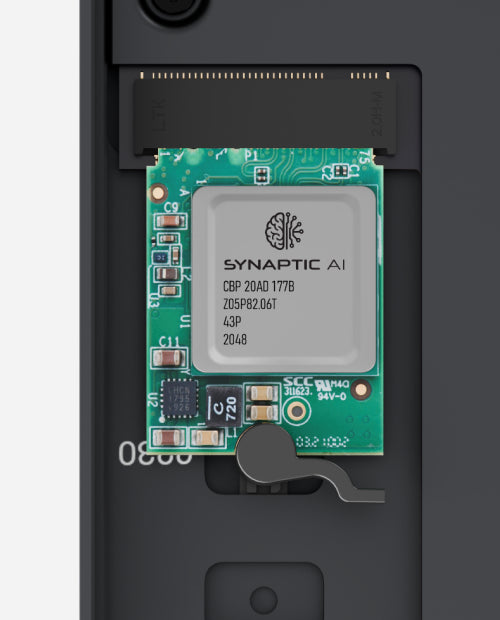
Add AI-ready PCIe modules, support high-draw NVMe SSDs with up to 25W total power, swap drives instantly with tool-free installation, and stay protected with IP55 dust and water resistance.

Product details

Features

80Gbps Ultra-Fast USB4 Connection

Delivers up to 80Gbps bandwidth* with USB4 v2 (Thunderbolt 5 compatible) for true PCIe Gen 4 x4 performance. Ideal for AI and machine learning accelerators and ultra-fast NVMe storage. Consistent speed with no throttling or drop-offs.

*PCIe data transfer speed is up to 64Gbps

Supports PCIe Gen4/3 Devices, up to 64Gbps (Gen4 x4)

Delivers full-speed PCIe Gen 4 and Gen 3 NVMe performance over USB4, giving you the fastest possible transfer rates for professional workflows and large file handling.

Broad M.2 Size Compatibility

Supports multiple M.2 seizes, including, 2230, 2242, 2260, and 2280, so you can choose the right drive your system - from compact SSDs to high-capacity options.

Built for AI and PCIe Expansion

More than storage, this enclosure supports high-performance PCIe modules such as AI accelerators and networking cards to add computing power or specialized capabilities to your system. Designed for engineers, developers, and creators who need extra performance without replacing their hardware.

External Power Support

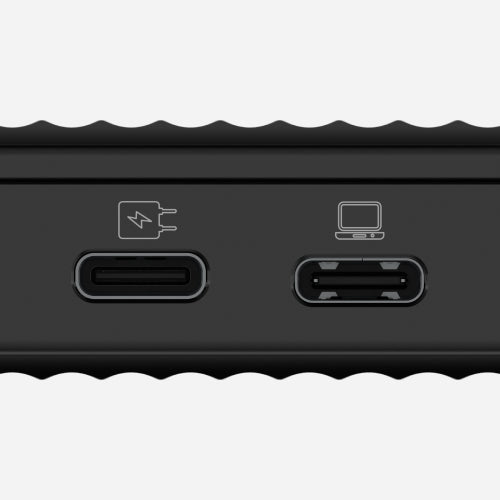
Provides up to 18W of optional external USB-C power-in to support high-performance NVMe SSDs. When combined with up to 7.5W supplied by the host USB-C port, the enclosure delivers a total of up to 25W of power, suitable for high-draw NVMe devices as recommended by our supplier.

Tool-Free Snap-In Installation

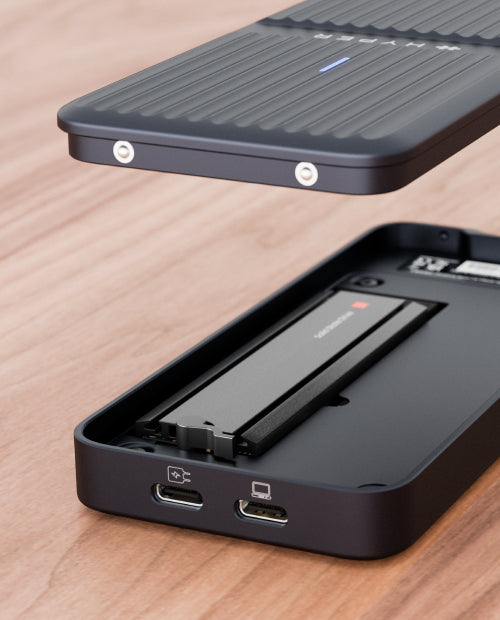
Install in seconds with no tools, screws or hassle - just pop open the enclosure, insert your M.2 NVMe SSD or other M.2 PCIe cards, and you’re ready to go. Ideal for workflows that change frequently.

Premium Aluminum Design That Stays Cool

The aluminum body features built-in heat dissipation and a thermal pad that draws heat directly from the SSD, keeping performance steady even under heavy load.

IP55 Dust and Water Resistance


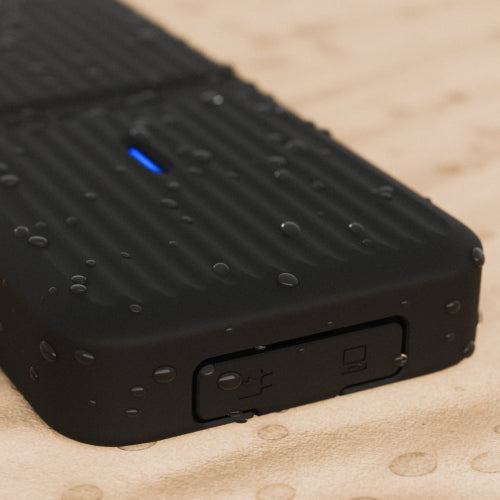
With the included silicone sleeve, the enclosure meets IP55 protection standards*, shielding it from dust and water splashes - ideal for travel or on-site use.
*While using silicone protective sleeve. Tested by Hyper’s design team.

Recycled Materials


Made with 100% recycled aluminum - sustainable, durable, and built to last.

-

Real-World Workflows

Discover how engineers, creators and technical professionals are using the HyperDrive Next USB4 M.2 PCIe Enclosure across storage, creative, AI and PCIe expansion workflows. 

Video & Photo Production Workflow

How high-speed NVMe storage supports video editing, RAW photography libraries and active creative projects.

Download Workflow Guide 

Professional Video, Motion Design & VFX Workflows

See how creative professionals manage demanding video, motion graphics, VFX and 3D workflows.

Download Workflow Guide

Private Data Vault & Personal NAS

Learn how HD2500 can be used for secure local storage and lightweight network-attached storage.

Download Workflow Guide

Portable AI Model Library

Discover how local AI models, datasets and development environments can be stored and managed on a single drive.

Download Workflow Guide

AI Model & Dataset Storage

Explore how AI developers manage large models and datasets while maintaining privacy and portability.

Download Workflow Guide

Edge AI Development & PCIe Expansion

See how compatible PCIe modules can support advanced development, prototyping and edge AI applications.

Download Workflow Guide

Specifications

Model

 
HD2500GL

Dimensions

135 x 60 x 18mm
5.31 × 2.36 × 0.7in

Weight:

0.33 lbs
.15 kg

Devices:

MacBook

Windows PC

iPad

Compatibility

Windows® 10 (and newer)
macOS® 12.4 (and newer)
iPadOS® 13.4 (and newer)

What's in the Box?

User Guide
HyperDrive Next USB4 M.2 PCIe Enclosure

USB4 80Gbps USB-C to USB-C Cable (1.6 ft / 0.5 m)

Protective Silicone Sleeve

Support

For Additional Support Contact Us

Email: support@hypershop.com

Warranty Details: Click Here

User Guide: Click Here

Phone: 1 (844) 674-6789

FAQs

Please read our FAQs page to find out more.

What kind of performance can I expect from this enclosure?

The HyperDrive Next delivers up to 80Gbps bandwidth over USB4 v2 (Thunderbolt 5 compatible), enabling true PCIe Gen4 x4 speeds for ultra-fast NVMe storage and high-performance PCIe modules.

What devices and operating systems are supported?

It works with Mac, Windows PCs, and iPads with USB4, or Thunderbolt ports. Supported OS versions include Windows 10+, macOS 12.4+, and iPadOS 13.4+.

Is this compatible with Thunderbolt-only computers?

Yes — the enclosure is fully compatible with Thunderbolt 5 and Thunderbolt 4 ports, and also works with USB4 hosts at peak performance.

Which M.2 SSD sizes and types can I install?

You can use M.2 SSDs or PCIe modules in sizes 2230, 2242, 2260, and 2280, including PCIe Gen3, Gen4, and Gen5 NVMe drives.

Can I use this enclosure for modular PCIe cards (e.g., AI modules or networking cards)?

Yes — unlike many basic enclosures, this supports high-performance PCIe expansion cards such as AI accelerators or networking modules in addition to storage.

How easy is it to install or swap drives?

Installation is tool-free — simply open the case, insert your M.2 module, and close. It’s ideal for frequent drive changes or testing multiple devices.

Didn’t find your answer?

Don't hestitate to contact us