


Everything You Need at a Glance


What The Press Says
Triple High-Resolution Display Support
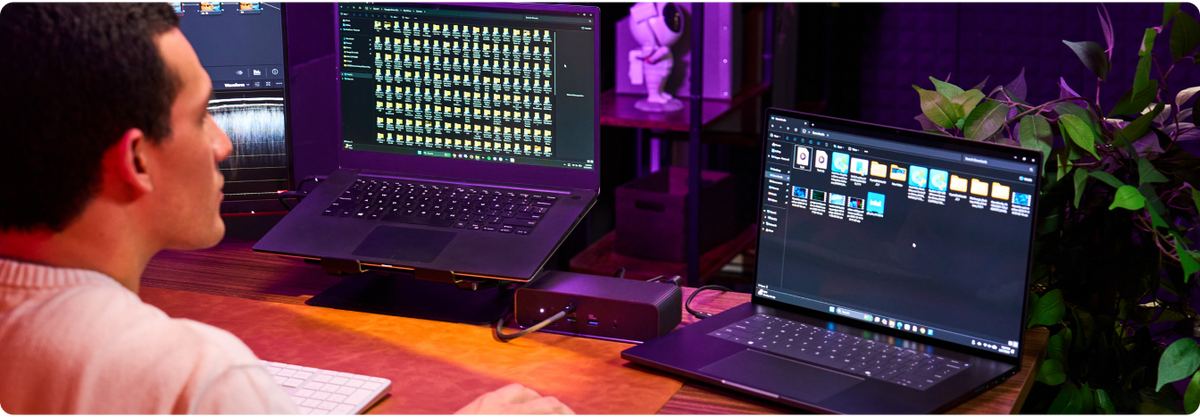
Run up to three 4K displays at 60Hz or a single 8K display at 144Hz. Experience smooth motion and sharp detail across expansive screen setups, all through one cable.
Windows
Up to 3x 4K@60Hz displays for maximum productivity. Triple Extended Display.
macOS
MacBook Pro M5 Pro/Max: up to triple 4K@60Hz. M1/M2/M3 Pro or Max, M4 all variants, and MacBook Air M3 (lid closed): up to dual display at 6K@60Hz + 4K@60Hz. MacBook Air M1/M2: single 6K display.
8K Support
Single 8K@144Hz display for ultra-high resolution. Maximum Resolution.
Powerful Features in Detail

Pro Workflows, No Bottlenecks
Thunderbolt 5 delivers up to 120Gbps of video bandwidth and 80Gbps of data, so displays, drives, and peripherals run at full speed at the same time. No fighting for lanes, no slowdowns under load.

Connect Two PCs at Once
Thunderbolt Share connects two computers to the same dock and lets them share files, peripherals, and control directly. No router, no cloud, no Wi-Fi. Switch between a work and personal machine without touching a cable.

Storage Without the Clutter
The built-in M.2 PCIe Gen 4 x4 slot supports NVMe SSDs up to 16TB, so high-capacity storage lives inside the dock instead of a separate enclosure. Fits 2230 to 2280 sizes with PCIe-direct access.

Local AI on Your Laptop
The same M.2 slot supports PCIe-based AI accelerator cards, giving developers fast local AI inference without a tower PC or cloud GPU. A portable workstation that handles AI workloads previously locked to desktops.

140W for Power-Hungry Laptops
EPR PD 3.1 power delivery sends up to 140W to high-performance laptops, even while the dock drives displays, charges accessories, and moves data. One cable handles power and everything else.
Built for the Planet
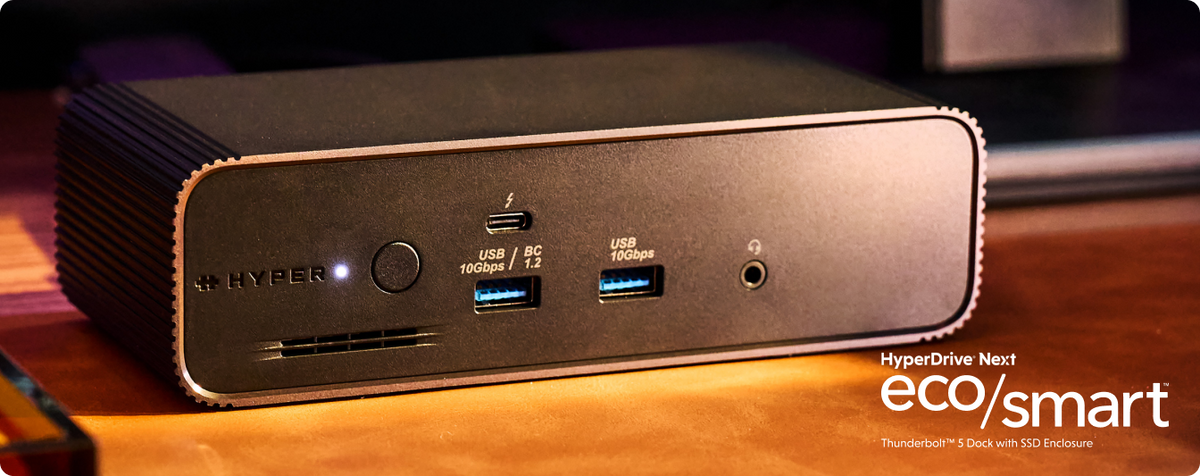
Made with 75% recycled PCR plastics and a premium aluminum body that doubles as a heat sink for sustained performance. Responsible materials, durable construction, effective thermals.
Port Configuration
Connect Your Displays
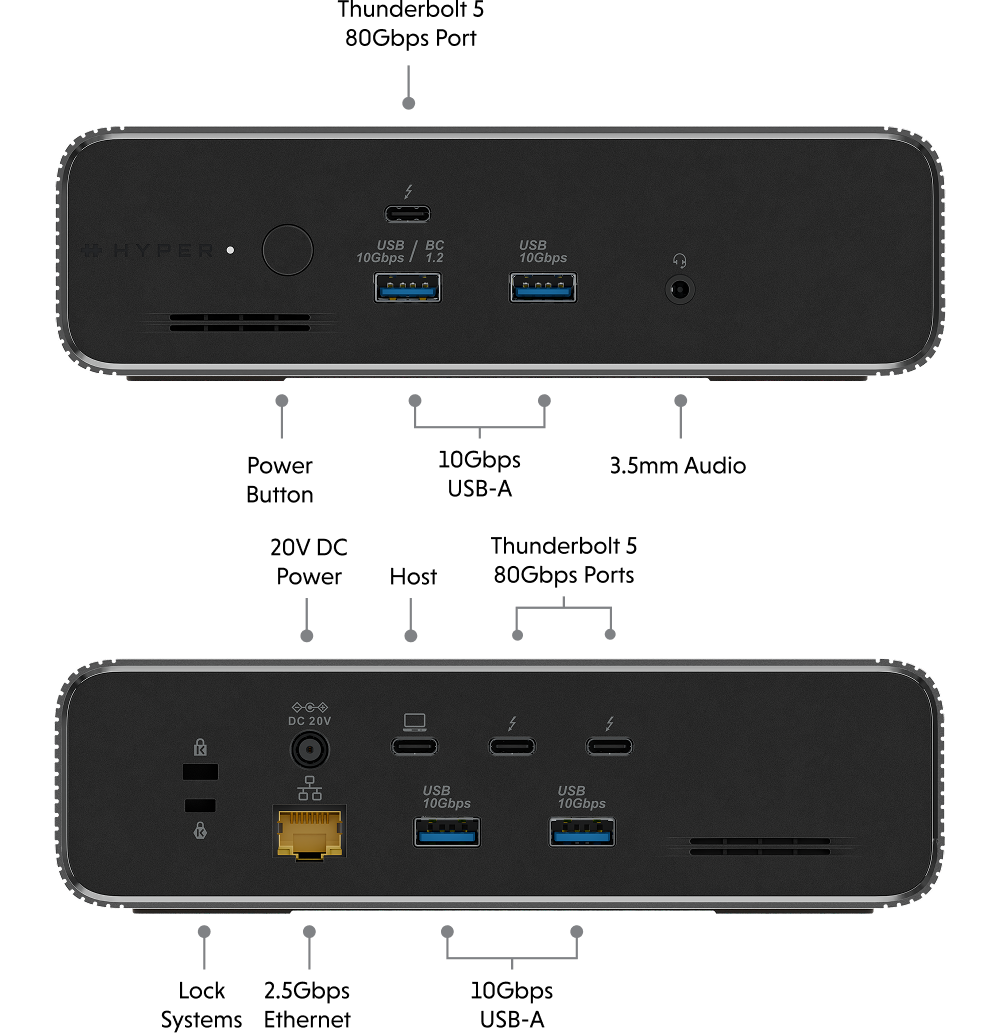
Connect displays through the dock's Thunderbolt 5 ports. Use any TB5 port for a single display, or two TB5 ports for dual displays. For HDMI or DisplayPort monitors, use a USB-C to HDMI or USB-C to DisplayPort adapter.
Windows


Drag to compare
Display Resolutions and Refresh Rates
| Configuration | Single Video | Dual Video | Triple Video |
|---|---|---|---|
Windows based Thunderbolt 4 Hosts 3 x DP 4-lane Streams |
8K @60Hz (any one output) 8K @144Hz (w/ DSC)(any one output) |
8K @60Hz(any two output) 8K @120Hz(any two output) |
8K @30Hz 8K @60Hz |
Windows based Thunderbolt 5 Hosts 2 x DP 4-lane Streams |
8K @30Hz(any one output) 8K @60Hz (w/ DSC)(any one output) |
8K @30Hz, 4K @30Hz(any two output) 8K @60Hz, 4K @60Hz (w/ DSC) (any two output) |
8K @30Hz Not supported by host machine |
USB4 Hosts 1 x DP 4-lane Stream |
8K @30Hz (w/ DSC)(any one output) 8K @60Hz (w/ DSC)(any one output) 8K @60Hz(any one output) 8K @144Hz (w/ DSC)(any one output) |
Not supported by host machine |
Not supported by host machine |
MacBook Pro M5 Pro / M5 Max |
6K @60Hz(any one output) 6K @60Hz (w/ DSC)(any one output) |
6K @60Hz, 6K @60Hz(any two output) 6K @60Hz, 6K @60Hz (w/ DSC)(any two output) |
4K @60Hz |
MacBook Pro M1/M2/M3 Pro or Max,MacBook Air/Pro M4, MacBook Air M3 (lid closed) |
6K @60Hz(any one output) 6K @60Hz (w/ DSC)(any one output) |
6K @60Hz, 4K @60Hz(any two output) 6K @60Hz, 4K @60Hz (w/ DSC)(any two output) |
Not supported by host machine |
MacBook Air M1 / M2 1 x DP 4-lane Stream |
6K @60Hz(any one output) 6K @60Hz (w/ DSC)(any one output) |
Not supported by host machine |
Not supported by host machine |
Intel based MacBook 2 x DP 4-lane Stream |
4K @60Hz(any one output) 5K WUHD @60Hz(any one output) |
4K @60Hz, 4K @60Hz 5K WUHD @60Hz, 4K @60Hz |
Not supported by host machine |
Windows based USB-C (MFDP) Hosts 1 x DP 2-lane Stream |
4K @30Hz(any one output) 4K @60Hz(any one output) 4K @30Hz (w/ DSC)(any one output) |
Not supported by host machine |
Not supported by host machine |